
Haych/dev Consent Gate
GDPR + CCPA cookie consent that actually blocks scripts. No cookies set by the plugin itself.
Last updated
Consent Gate is a self-hosted WordPress cookie-consent plugin that blocks third-party scripts before they execute — not just shows a banner. When a visitor lands on your site for the first time, analytics and marketing scripts are held as inert HTML (type="text/plain") until they choose. Once they accept, the scripts fire in-browser without a page reload.
Unlike heavyweight consent platforms that call home to verify consent or inject their own tracking, Consent Gate has zero external HTTP calls. Everything runs locally — the banner is injected by the same JS file that handles consent, and the visitor's choice lives in their own localStorage.
Why Haych/dev Consent Gate
- Scripts blocked, not just bannered
Non-essential scripts are rewritten to type="text/plain" so browsers never execute them. They only load after the visitor explicitly consents — no "implied consent" workarounds.
- Genuinely lightweight
A ~3KB vanilla JS file handles the banner, consent storage, and script re-injection. No jQuery, no npm runtime, no CDN dependency.
- Built-in library — 50+ trackers (Pro)
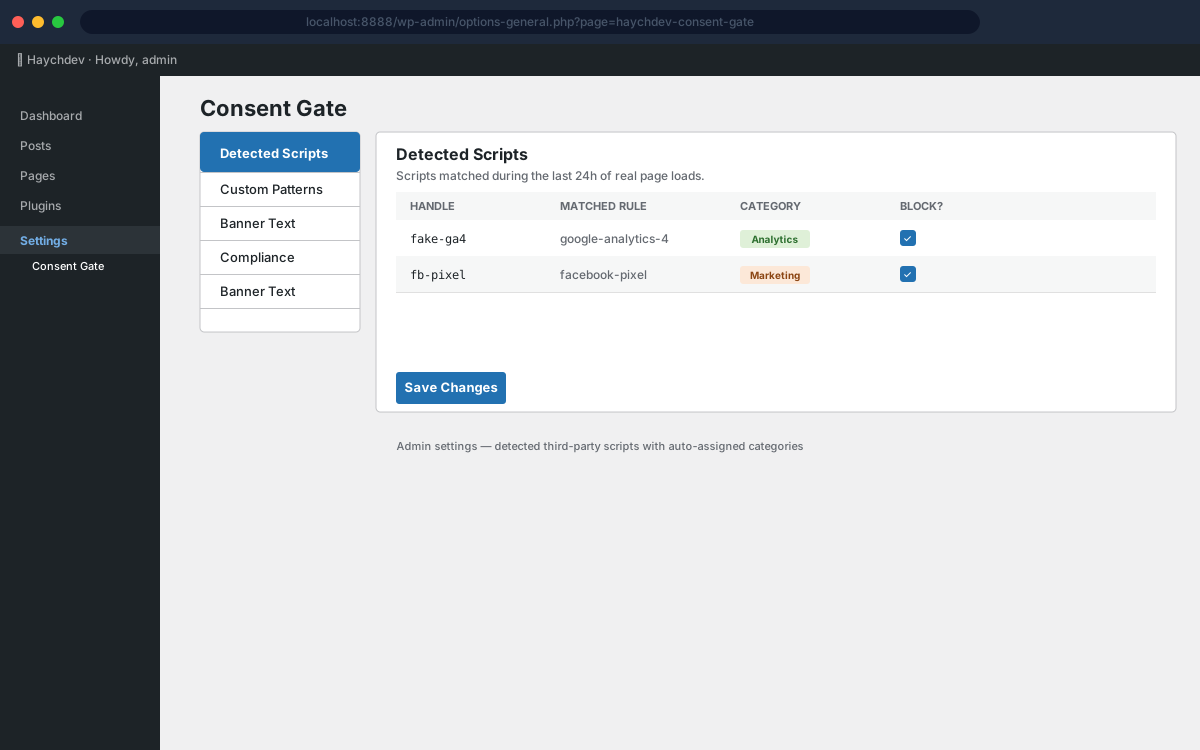
The Pro add-on ships a pattern library covering GA4, Facebook Pixel, HotJar, Clarity, Intercom, LinkedIn, TikTok, and 43 more. On the free tier, add your own URL patterns in the admin — no code required.
- localStorage only — no cookie irony
Consent is stored in the visitor's localStorage, not a cookie. The plugin sets zero cookies itself. GDPR-correct and slightly poetic.
- GDPR opt-in + CCPA opt-out
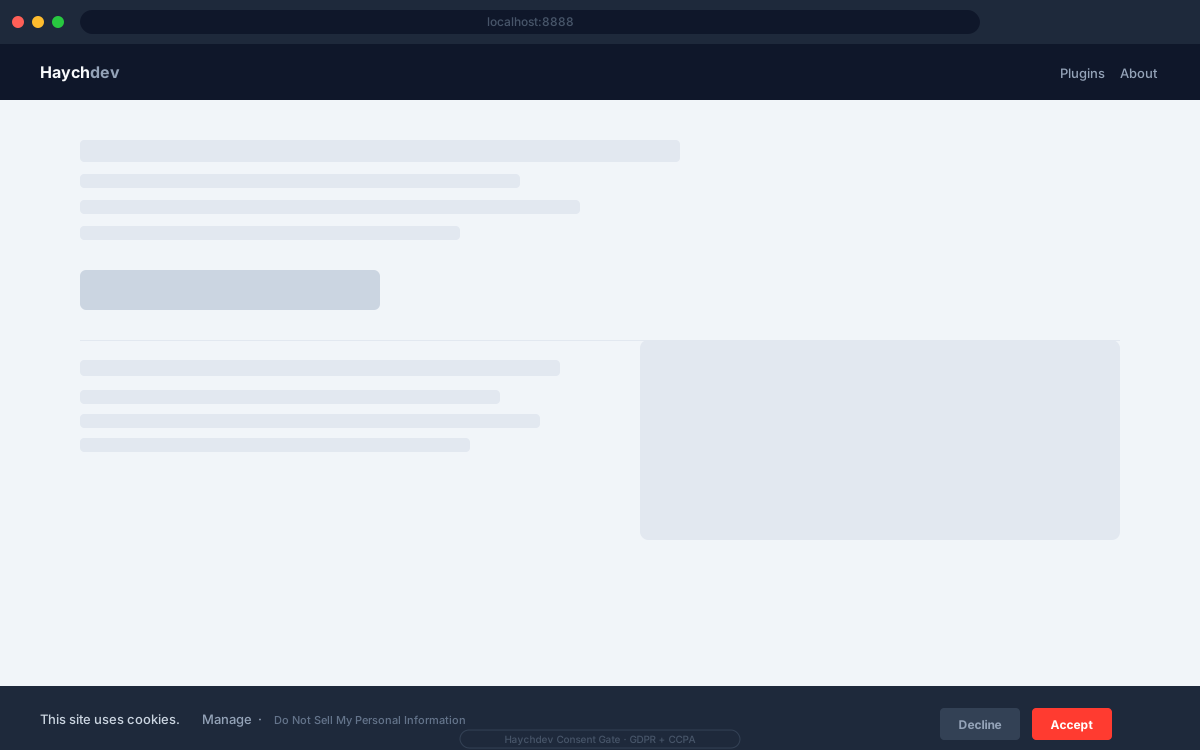
Analytics and Marketing are off by default. The Pro add-on enables a "Do Not Sell My Personal Information" link that sets marketing to false and reloads to purge already-loaded scripts. No GeoIP needed.
- Consent version invalidation
Bump the consent version number in settings to re-ask all visitors. Useful when you add a new third-party tool or change your privacy policy.
Screenshots
Free vs Pro
Free
- Consent banner (one-liner bar + expandable panel) with sensible defaults
- Script blocking via manual URL patterns you enter
- Consent version bump — re-ask all visitors after policy changes
- Detected-scripts view showing matched handles
- Privacy policy URL (shown as a 'Learn more' link)
- localStorage-based consent storage — no cookies set, no outbound calls
Pro
Everything in Free, plus:
- Built-in library auto-detecting 50+ trackers (GA4, Facebook Pixel, HotJar, and more)
- Per-handle category and blocked overrides
- Banner-text customization — all 10 labels editable
- CCPA 'Do Not Sell My Personal Information' link
How Haych/dev Consent Gate compares
Them: Banner and script scanning, but the dashboard and finer controls require a cloud account.
Ours: Scripts are blocked in the free core, consent lives in localStorage, and no account is needed.
Them: Thorough setup wizard, but it contacts Complianz servers during configuration and the plugin itself is large.
Ours: About 3 KB on the front end, fully self-contained, with no outbound calls at any stage.
Them: Hosted consent platform priced per domain and page view.
Ours: A one-time plugin install — consent logic runs on your server, not a third party's.
FAQ
- Does it slow down my site?
- The consent JS is ~3KB and deferred. On pages where the visitor has already consented, it reads localStorage and re-injects blocked scripts without any server round-trip.
- Does the plugin set any cookies itself?
- No. Consent is stored in the visitor's localStorage — same-site only, never sent to a server, never readable by third parties.
- Which scripts does it block automatically?
- The free core lets you add custom URL patterns in the admin. The Pro add-on ships a built-in library of 50+ tracker patterns covering all major analytics and marketing tools. You can also override categories or disable blocking per handle when Pro is active.
- What happens when a visitor declines?
- Blocked scripts stay inert for the session and all future sessions until the visitor changes their preference via the "Manage" link in the footer.
- Does it support CCPA?
- The "Do Not Sell My Personal Information" link is available in the Pro add-on. Clicking it sets the marketing category to false and reloads the page to purge any already-loaded marketing scripts.
- Do I need to modify my theme or existing plugins?
- No. The plugin hooks into WordPress's script_loader_tag filter, so any script registered via wp_enqueue_script is automatically intercepted. Nothing in your theme needs to change.
- Is this a self-hosted alternative to CookieYes or Cookiebot?
- Yes. Scripts are blocked and consent is recorded entirely on your own site. No cloud account, no per-domain pricing, no cookies set by the plugin.